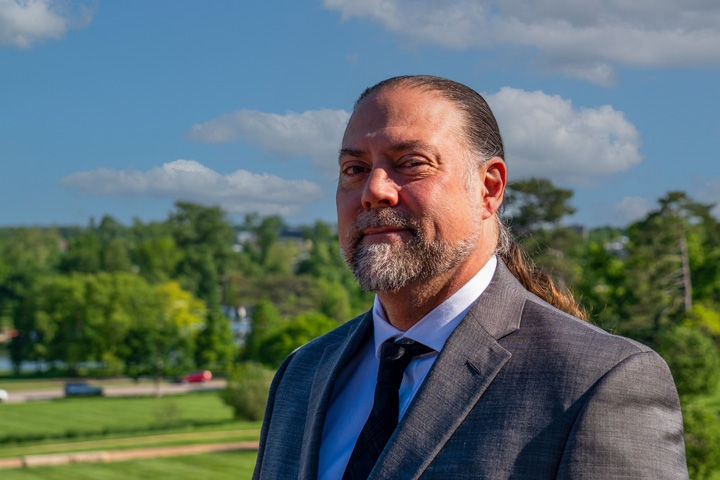

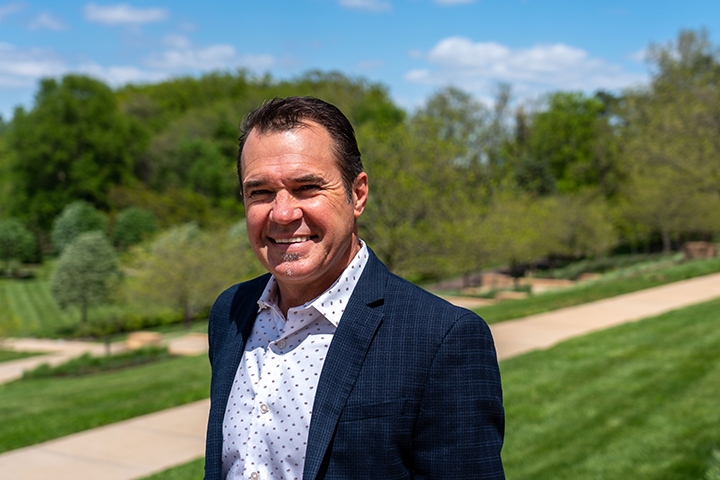







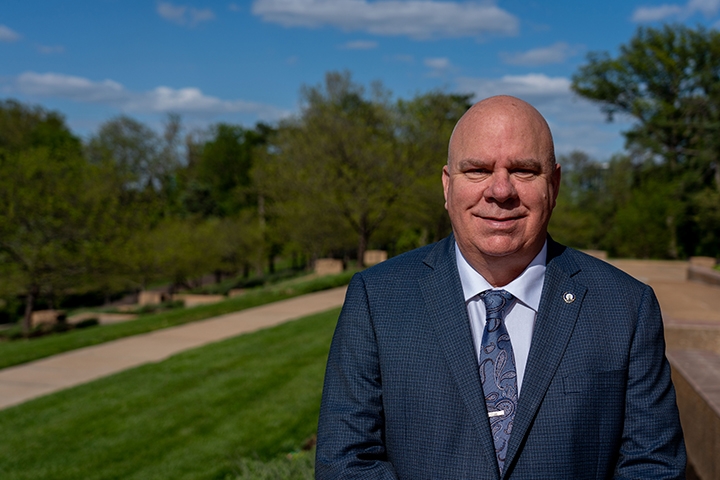
Frank Jacobs
Journeyman Wireman · Initiated September 3, 1982 · 5th-Generation IBEW Local 1 · Incumbent Business Manager · President, St. Louis Building & Construction Trades Council
About Frank Jacobs
Business Manager Frank Jacobs has spent the last 35 of his 44-year career in service to our Brotherhood. Beginning as a COMET instructor in 1991, he joined the Joint Apprenticeship Training Committee in 1993. While serving on the Committee, he was recommended for the Office of Recording Secretary and sworn in on September 25, 1998. During his ten years as Recording Secretary, Brother Jacobs worked closely with two Financial Secretaries and four Treasurers.
A fifth-generation member whose IBEW roots reach back to a charter member of Local 1, Brother Jacobs now holds the same office once held by his grandfather, Frank W. Jacobs, who served as the 11th District's first International Vice President. That legacy continued with his father, former Local 1 President Jack Jacobs.
Assuming office during unprecedented unemployment levels, Brother Jacobs hit the ground running, focused on easing the economic strain felt by unemployed and underemployed members. The unique market conditions during the Great Recession required adjustments to ensure that members who had been on the list for years were not devastated by short calls that lasted less than eight weeks. Business Manager Jacobs called for a committee and worked with the late Brother Tim Murray on the Committee's recommendation to implement the "40 Day Rule," an effective temporary solution to those market conditions. He has continually encouraged members who walked away during the Great Recession to return to the fold.
As lead negotiator on all IBEW/NECA Agreements, Business Manager Jacobs has successfully negotiated contracts with percentages above the area and industry three-year average. The currently-active Inside Agreement includes the highest annual economic increases of any Building Trades union and the highest for Local 1 in its history.
One of the hallmarks of a great labor leader is the willingness and ability to cross any bridge on behalf of their members or to achieve labor harmony. Brother Jacobs's consistent efforts to reunite the organized labor community in St. Louis started his first day as Business Manager. Those efforts were recently acknowledged by members of the St. Louis Building & Construction Trades Council, who unanimously elected him President of the Council. Business Manager Jacobs was also appointed to the Governance Board of the St. Louis Construction Cooperative, the new name for the former PRIDE Saint Louis, a 50-year-old Labor-Management Cooperative established to mediate jurisdictional disputes during the construction of the Gateway Arch.
After the dissolution of the St. Louis-Kansas City Regional Council of Carpenters, Business Manager Jacobs met with Mid-America Regional Council EST Gary Perinar to discuss eliminating their electrical division and is overseeing an ongoing organizing effort to liberate the electrical workers trapped under a substandard agreement.
His work to restore and rebuild relationships within the community is aided by the addition of former State Senator Timothy Green to the Electrical Connection. As Senator Green's final term came to an end, Business Manager Jacobs set his sights on bringing his political acumen to the industry's benefit. Working with NECA, he created the position of Director of Political and Legislative Affairs, which the former Senator now holds. Brother Green's addition has been invaluable in fending off the relentless tide of anti-labor legislation in Missouri.
As Business Manager, he recently signed an agreement with the St. Louis Community College District granting graduating apprentices an associate degree upon completion of just nine additional college credit hours. The original 15-credit requirement was reduced to 9 after Brother Tim Green's American Government class was accredited by the College. Business Manager Jacobs has also worked to increase funding for the training center. The added funding paid for a new phone system and network, plus a state-of-the-art computer lab designed to integrate the National Training Institute's blended learning options. Planning has begun for a new state-of-the-art training center.
Honored to lead Local 1 during its historic 125th Birthday, Business Manager Jacobs worked to make the 39th Convention one to remember. He led the effort to save the Civil War-era boarding house that hosted the IBEW's first Convention. That work preserved what has become a lasting tribute to the Founding Fathers and the entire IBEW. Alongside that, he successfully campaigned the International Officers to form a 501(c)(3) non-profit corporation, the Electrical Workers Historical Society, whose governing Board will always include the Business Manager of Local 1. International President Lonnie Stephenson recognized Brother Jacobs's work to save the historic site by selecting him as Secretary of the Law Committee for the 39th Convention. Thanks to Business Manager Jacobs, Henry Miller now has a museum that bears his name. A Henry Miller statue, voted on and sponsored by the membership, hangs from the first utility pole in Founders Plaza and bears the name LOCAL 1. Members from across the U.S. and Canada make the trip to stand where the Founding Fathers once stood.
Accomplishments in Office
- Adjusted Health & Welfare qualification requirements to enable more members to access medical coverage for their families.
- Modified the Temporary Extended Unemployment (TES) triggers to enable more members to access funds while unemployed.
- Chartered a commercial bus for a book-signing tour to Kansas City to spare members travel expense and create employment opportunities on two large industrial projects.
- Signed a reciprocity agreement with IBEW Local 309 Business Manager Tim Evans to benefit Local 1 members working in Local 309.
- Instituted and then streamlined Iowa licensing procedures for members working in IBEW Locals 13 and 22.
- Discreetly coordinated and funded a foreclosure prevention specialist for members in danger of losing their homes.
- Doubled the number of Reciprocal Book 2 Registration agreements originally established by Business Manager Greg Booth.
- Established a bid referral system to alleviate member travel cost and employment delays.
- Managed what is widely recognized as the most impactful effort to defeat Right-to-Work (Prop A) in 2018.
- Managed the addition of a member-area website and companion smartphone application.
- Integrated an aggressive business development plan designed to secure future work for Local 1 members.
- Established two real-estate investment funds, ECAP (Electrical Capital Partners) and the M.O.R.E. program (Bank of Labor), both designed to secure work for members.
- Managed the renovation of the historic union hall, placing the building on the National Register of Historic Places, while also working with Financial Secretary Dave Roth to grow the treasury.
- During the COVID pandemic, negotiated an emergency agreement with NECA to give members access to unemployment relief funds.
- Established the first Director of Diversity, Equity, and Inclusion for an IBEW/NECA Labor-Management Cooperative Corporation (LMCC) in the country.
A Letter to Local 1
Dear Brothers and Sisters,
I'm asking for your continued support of this administration. Together we have battled through the most difficult times ever seen in our great Brotherhood. With your support, I pledge to continue the work to restore and keep the IBEW in Saint Louis in its rightful place. Our work to end the carpenters' upstart union continues, and we will use every means necessary. We will continue the fight.
I am very proud of my staff of Representatives and their devotion to you and our collective goals. Every single one of them has a reputation from their time in the field as a member that you want to work with you, for you, or in their crew. I assure you that they work just as hard every day to represent you.
Thank you for your support.
In Unity,
Frank Jacobs
Business Manager · IBEW Local 1
Brother Jacobs's passion and dreams for the IBEW motivated him to begin planning and preparing to lead our great Brotherhood long ago. He is humbled and honored by the support he has received from the membership. With your continued support and your vote on June 6th, together we can continue the progress started by Business Manager Frank Jacobs and the Unity Club.